Icon of program: Volume 2

Volume 2 for Windows

  • Free
  • 3.8
    1457
  • 225.1K
  • V1.1.9.469
Free Download for Windows

View an ad to download for free

Free and dvanced volume controller for Windows systems

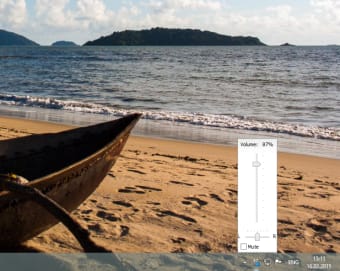
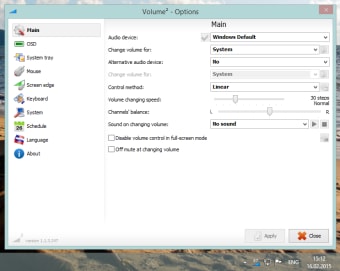
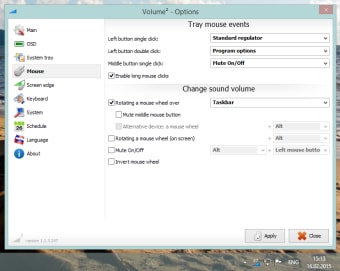
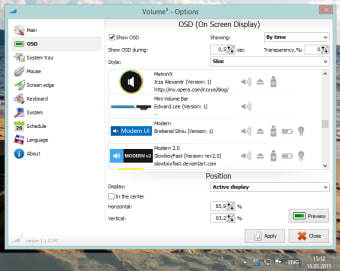
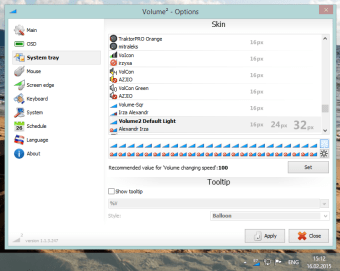
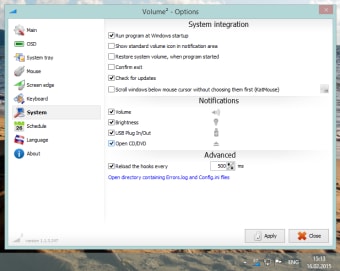
Volume 2 provides users with many other audio options than those associated with a standard control panel. In fact, many consider this bundle to be a complete replacement for the built-in Windows sound controller. It offers a number of skins to choose from and all controls can be modified to suit the needs of the user.

Unlock your creativity with Adobe Stock

Get 10 images or 1 video with a free trial

Main Uses and Applications

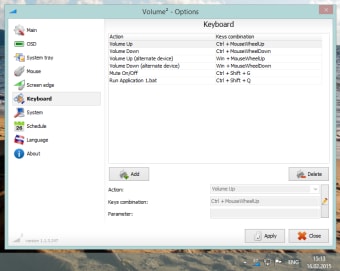
Volume 2 can be thought of as an advanced audio editor and mixer in many ways. Not only can the volume itself be adjusted with a single click, but additional features such as the inclusion of hot keys and an equalizer will provide a powerful means to enhance audio playback in no time at all. The standard on-screen volume control will be replaced with a rotating wheel that can be adjusted through the use of a mouse. It is also possible to integrate this program with standard Windows-supported playback devices.

Additional Details and Options

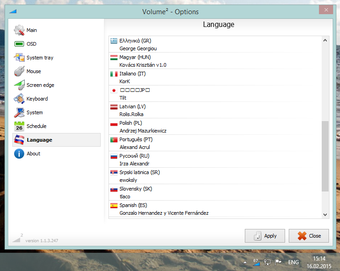
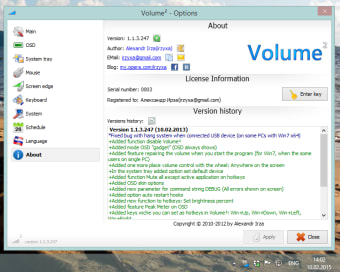
Volume 2 can work with all versions of Windows between XP and Windows 8. It currently supports well over a dozen languages and it can be connected to external devices via a USB cable. This bundle was created in 2012 and it is free to download. At 83.8 kilobytes, it is also extremely lightweight.


  • Pros

    • Users are not required to pay in order to download this software package.
    • It offers a host of advanced audio-editing tools for Windows users.
  • Cons

    • This package cannot currently support Windows 10 operating systems.
    • The developer has not provided many contact details.
 0/10

App specs

Program available in other languages


Icon of program: Volume 2

Volume 2 for PC

  • Free
  • 3.8
    1457
  • 225.1K
  • V1.1.9.469
Free Download for PC

View an ad to download for free


User reviews about Volume 2

3.8

5 reviews

Add review

Main reviews for you

  • Anonymous user

    Constant issues with it starting at startup all setting are correct for this. also rarely works and when it does it doesnt work correctly.

  • Anonymous user

    Найкращий регулятор гучності, потужний, красивий, з купою налаштувань, з морем скінів, з багатьма іконками в треї, з перекладом на десятки мов. Просто супер! Користуюся на Windows 7 - все працює чудово.

  • Anonymous user

    Esse programa é magnífico, pois com ele você tem o controle total no audio do sistema. Para quem já perdeu a paciência com o volume do windows que só aumenta e diminui de 20 em 20 por cento; Volume² é configurável para mover o volume através da roda do mouse apenas apontando para o ícone na barra de tarefas.Abra o programa e surpreenda-se com todas configurações disponíveis.OBS: A versão mais recente é multi-lingue.

  • Anonymous user

    The best volume control. Volume² is an advanced Windows volume control, a complete replacement for the standard Volume Control. This application lets you easily change the sound volume just by rotating the mouse wheel or by using keyboard hot keys. Pros: Change volume level of your PC by simply rotating the mouse wheel.Disable volume by schedule.Very beautiful OSD.

  • Anonymous user

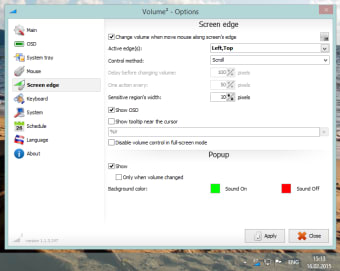
    The answer to problematic and featureless Windows volume controls. Great. Installs in Russian. Click on the red, white, and blue flag to change languages. Many skins and configurations. Very solid and trustworthy program. Helped me not have to worry about the volume icon disappearing from the XP system tray, and I can now change the volume by moving the mouse to the bottom of the screen and using the scroll wheel. Flawless execution and the skins are great...recommended fully... Pros: Many control configurationsCenter screen volume display when changing volume level Cons: None


More

You may also like

Alternatives to Volume 2

Explore Apps

Related Articles

Latest articles

Laws concerning the use of this software vary from country to country. We do not encourage or condone the use of this program if it is in violation of these laws.
Softonic

Is Volume 2 safe?

100/100

Score result: Clean

This file passed a comprehensive security scan using VirusTotal technology. It is safe to download.

  • Virus free
  • Spyware free
  • Malware free
  • Verified by Security Partners

    VirusTotal logo

Scan Info

Last scan
Tuesday, April 14, 2026
Scan provider
VirusTotal · Full report

File Integrity

File
1.1.9.469.zip
SHA256
baaaa0cdafa4629189d928ecd25aa88cd735fbf4d87872e45875ea25404ec5c0
SHA1
081601bb71999e3eaaa7f00321dbd868958b9222

Softonic security commitment

Volume 2 has been thoroughly scanned by our advanced security systems and verified by industry-leading partners. This file comes from the official developer and has passed all our security checks, showing no signs of viruses, malware, or spyware. For more information, visit our Security and Trust Center

Signed in to Softonic as